The secret to getting data from doctors is making it their idea.
A doctor shouldn't have to guess what they're worth. Marit is the only place that already knows.
Open the prototype01 Salary catcher 02 Doctor catcher 03 Preference catcher 04 A search that ends
“Make them want to give the number.”
How to catch a salary
Every job shows what it pays and what a doctor stands to gain or lose against it. If they haven't given their own number yet, that's the moment to give it, and the moment to tick a box that keeps it anonymous. The answer is worth more to the doctor than it is to us.
1.1Ask for the salary where it matters.
Today Marit asks for your salary at sign-up, or in a separate Salaries tab. This prototype asks for it right on the job, the moment you're comparing pay. Type your number, then check one box to share it anonymously. We can only show what psychiatrists like you make because other psychiatrists are sick of being blind too.
SalarySigned out (top right). On the “Psychiatrist pay in Sacramento” chart, tap the bar nearest your pay.1.2Every job is another chance to share it.
Marit knows what a job pays, because the employer said so. It knows what psychiatrists nearby earn, because other psychiatrists shared. The number missing is the doctor's own, and without it a card can't say what they stand to gain. So every job offers the chance to add it, once.
No salary yetToggle to signed out, top right. The card can't do the maths, so it asks instead: “See what this pays you”.How to catch a doctor
A doctor reading a posting is doing arithmetic and geography in their head. What does this pay against what I make. Does that neighbourhood work on a Tuesday at seven. Marit already holds both answers, so the card shows them.
2.1What you make. What this job pays. Where you'd stand if you took it.
Three numbers Marit already owns, sitting on three separate tabs. On one line they answer the only question a doctor actually has, which is whether this is better than what they've got. And they hand over the argument for the conversation that follows.
The moneyOn any card: the pay, the money gained under it, then “Up from 3rd to 8th of 10.”2.2What's around when you clock out.
Tap the location on a job and see what's inside a ten-minute walk of the building. Coffee, lunch, a drink after, a park to clear your head, and how you'll get there. Real and geocoded. Six of the jobs in this prototype carry it.
Remote roles and postings that hide their location can't show it, which is reason enough to ask employers for an address when they post.
The blockTap the underlined city on a job that has one.2.3Tell us what matters and every card shows it.
Fourteen topics, written the way a doctor says them: on call and whether they pay for it, whether the notes follow you home, who you'd have around you. Turn on the ones that matter and every card shows that job's answer to them.
Open a job and one line names the ones it never answered: “You asked about call, weekends and charting. We couldn't find it in this posting.” Nobody has to read a posting twice looking for something that was never in it.
What mattersTap “Important to me” at the top. Turn a topic on and it shows on every card.2.4They can take it anywhere.
One tap copies the job as clean text, with what the doctor makes, what matters to them and what they marked at the top of it. Doctors already paste postings into an AI to ask what they think. This hands them a version that knows who is asking, and the answer comes back about them.
No other board can do that, because no other board knows what the doctor makes.
Copy itOpen a job. Tap the clipboard beside Express interest. Paste it anywhere.How to learn what works
Reading a job is holding everything in your head. This one has no call, that one wants weekends, and by the fourth posting you've lost the first. Tapping a line puts the thought on the page instead, and Marit gets the one thing a form never gets: what this doctor thinks of one employer's actual terms, line by line.
3.1Mark it and move on.
Tap once for what's working, again for what's not, a third time to clear it. It helps a doctor keep track of the pros and cons of every job.
Mark itOpen any job. Tap a sentence in the posting.3.2Flag something on one job and every other job that has the same thing gets flagged too.
Mark no call as working for you, and every other job with no call is already marked the same when you get there. Each job carries a running count of your pros and cons.
It carriesMark something on one job. Open another job that has the same thing.3.3Nothing a doctor tells the board is lost when they sign up.
Every answer is kept against a random id in their browser, never an email and never an IP, and it fills the profile the moment they make one. Eight of them are fields signup asks for by name: salary, how it’s paid, hours a week, patients an hour, call, whether call is paid, specialty and location.
Counted off Marit’s own signup, that’s sixteen percent of it answered before a doctor ever reaches the form.
Onboarding itself isn’t in this prototype. It’s the next thing, and it has to be built against this one.
It’s keptMark a few things, then reload the page. Everything you said is still there.A search you can finish
A job board never stops showing you positions, so the only way a search ends is when the doctor quits. This one scores every job against the one they already have. The good ones are at the top and you stop when the number stops being worth your next minute. That's an ending a doctor can see.
4.1Every job is scored against the one they have.
It weighs the money, the week, the patients an hour, the call and whether anyone pays for it, the help they'd have, and every line they've marked. Anything switched on in Important to me counts double. Fifty means exactly as good as the job they're in, so above it is a reason to look and below it is a reason not to.
How the fit engine works. Every part is turned into dollars, so a salary, a week and a call schedule can be weighed against each other. The totals are curved into a score out of a hundred, and we can tune the weights however Marit needs.
The fitOpen a job. Tap something in the posting you like. Tap it again if you don't. Every fit score updates.4.2Keep the good jobs handy while you work the board.
Save it, park it if you're not sure, or pass. Each one collapses the job into a small stub, and the board shrinks to only what you haven't gotten to.
Swipe a stub left to pass it or right to open it back up.
Nothing you decide is final: a passed job takes six seconds to leave and you can undo it, parking is temporary so opening the job unparks it, and saving sticks until you say otherwise.
DecideTap Save, Park, or Pass on any card.4.3The board fills whatever screen it’s opened on.
One column on a phone, two on a small laptop, three or four on a desktop, five or more on a studio display.
A wide screen is usually a narrow page with margins. Here it’s more of the ranking on screen at once, which is the only thing extra width is good for on a job board.
Any screenOpen the board. Drag your window wider. Watch the columns change.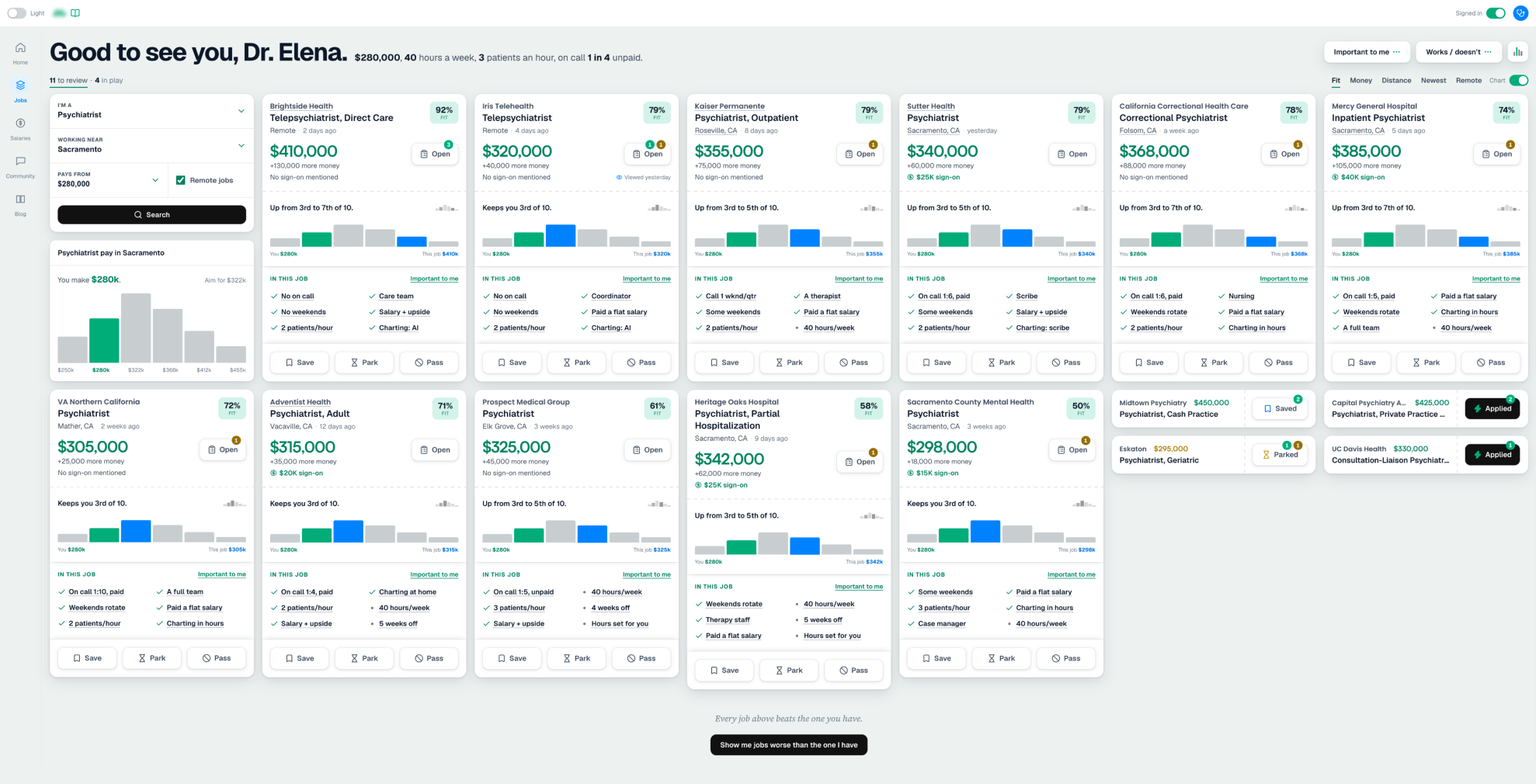
Everything you can try
Underlined ones jump to their callout above, and the callout opens the prototype right at it. The rest are yours to go find. Have fun.
What doctors tell Marit
- Tap the little chart in the corner, or Your fit on any job, to open The job I have: a doctor’s current role, their salary with an optional tick to share it anonymously, and what they’d like to earn. Name that last one and the board rebuilds as a route toward it
- A chart at the top shows what psychiatrists nearby earn. To see where they rank in it, a doctor gives their salary right there in the chart
- Signed out, tap See what this pays you on any job and give a salary. Every job on the board works it out at once
- Tap Important to me at the top and swap one of the six. The top job’s card updates live as you tick, right there in the picker
What doctors can do with the board
- Open any job and tap a sentence in the job description. Once means it works for them, twice means it doesn’t, a third time clears it. Each job keeps its own pros and cons list. It’s a new pattern. Try it on a few lines
- Open a job with no call. In the job description, tap the sentence about call until it’s marked as working. Open another job with no call. It’s marked as working there too
- Open a job with the Open button, or tap one of its details to open it anchored to that part of the job description
- Tap Save, Park or Pass on any card. It shrinks to a stub, like an applied job. Even a parked job counts, so the board shows progress before a doctor has decided
- On a phone, swipe a stub left to pass it. Tap Undo before the six seconds run out to bring it back. Swipe right to open it back up
- Open a job and tap Express interest. The doctor’s details are already filled in. Send it, and the card shrinks to a stub marked Applied that stays on the board, like a to-do checked off. Tap the stub to see when it was sent, reread the job, or look up the company
- Above the jobs, tap to review or in play to bring that group to the top of the board. In play is everything saved, parked or applied to
- The search is four fields: I’m a, Working near, Pays from and a Remote jobs tick. Pays from arrives already filled in with what the doctor makes. On a phone it compacts to one line after a search, handing about a third of the screen back to jobs. Tap it to open it again
- Switch the sort from Fit to Money and watch the board reorder. Money ranks on pay alone. Fit weighs the hours, the patients an hour and the call against it
- Open a job and tap the clipboard beside Express interest, then paste it into an AI chat and read what comes out. The job arrives with the doctor attached
- Open the board in Chrome on a desktop and drag the window wider to see more jobs. The board uses the whole monitor. On a phone, use the Easter egg at the end of this list to simulate those views
- Scroll past the last job. Signed out, the board asks for the doctor’s fit before offering the jobs that pay less. Signed in, it offers the jobs that aren’t as good as the one they have
Prototype controls
- Flip the Signed in switch, top right. Signed out, where most doctors are, every card is built to catch a salary. Signed in, it shows what that salary buys: where they stand against their peers, and what each job would do for them. Giving a salary anywhere flips it on, the way signing up would. By then the doctor has seen what their number does to every job on the board, and signing up is how they keep it
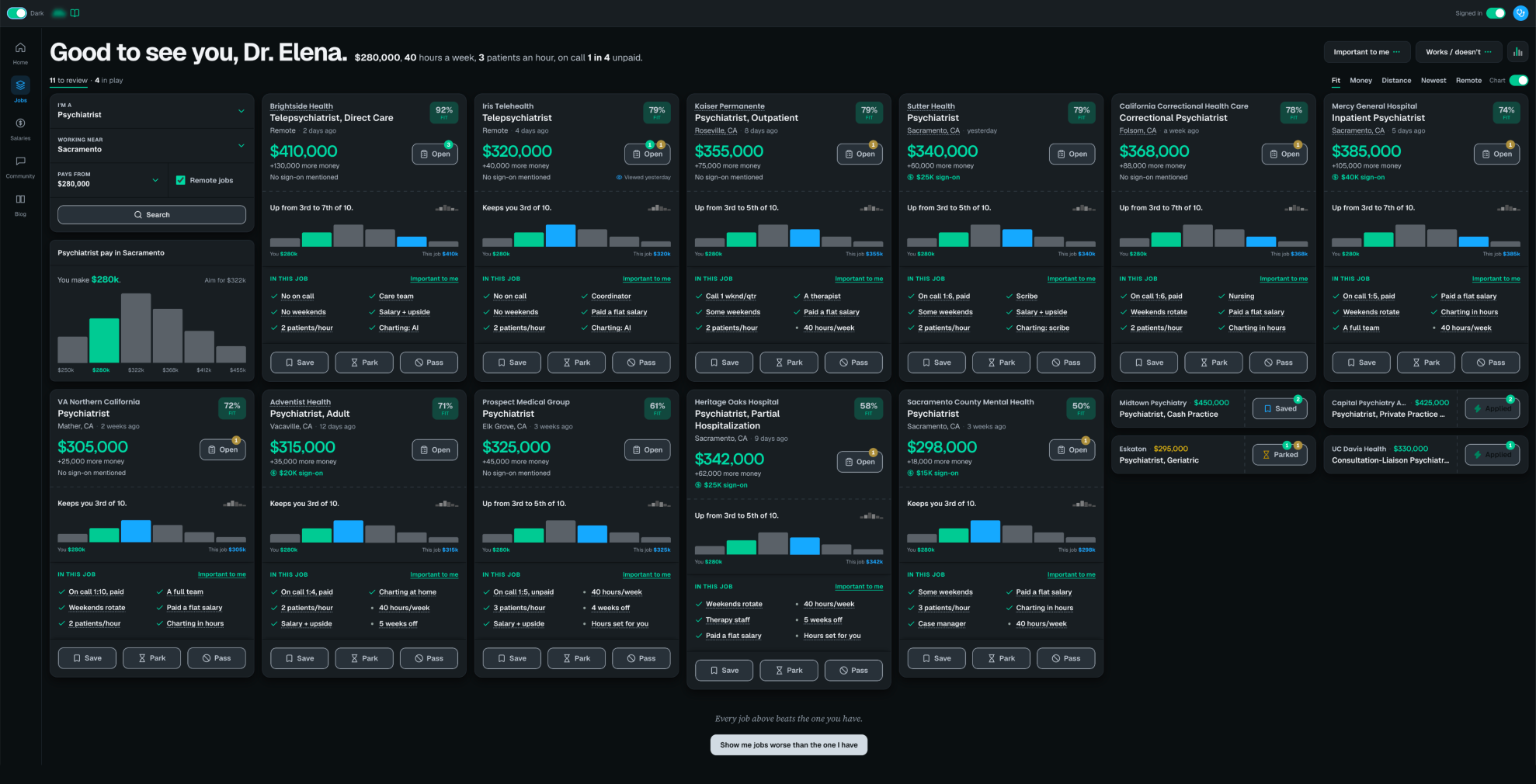
- Switch between light and dark, top left
Easter egg. There’s a hidden drawer holding this prototype’s controls and a report of everything the board has learned about Dr. Elena, the Sacramento psychiatrist it’s built around.
Open any job and press and hold this line: “Tap anything you like. Twice if you don’t.” It sits at the top of the posting.
Everything the doctor interacted with is reported there: marking up jobs, telling us about the role she has now, all of it. It’s the half of a signup she’ll never have to fill in.
The drawer carries this prototype’s own controls too. You can look at the board as if you were on a laptop, a desktop or a studio display, from your phone. And two buttons. Seed the demo fills the board with history, so you land on it as a doctor who has already been working it: two applied to, one saved, one parked. Wipe it clean takes all of that away and gives you a first visit with nothing on it.
The math. Every difference from the doctor’s current job becomes dollars: the pay itself, $3,000 for each hour a week, $20,000 for each patient an hour, and call as a share of the year, at $120,000 for all of it, so one week in four is $30,000, with unpaid call counted double. A “works” adds $20,000 and a “doesn’t” takes off $35,000, because people weigh a no harder than a yes.
The total is curved onto 0 to 100, with 50 meaning as good as the job they have, and it never reaches either end, so two weak jobs still rank against each other. These weights are a starting point. With your input, your team’s, and Marit’s real data, they get better.
Today about 30% of your users share a salary. Make it their idea and half is not a stretch. That's 24,000 more salaries.
Say the word and that number is mine to hit. Bryan Dorsey. Your Design Engineer, Growth.
Built in Claude Code with /remote-control on my
phone. 1,001 commits in forty-nine days.